Your ESP32 has PSRAM sitting there unused, and most tutorials forget to mention it
When you're tinkering with ESP32 microcontrollers, choosing the right setup can make the difference between a smooth-sailing project and a barely-functional experiment. And I'm not just talking about the circuitry components, sensor modules, or other...
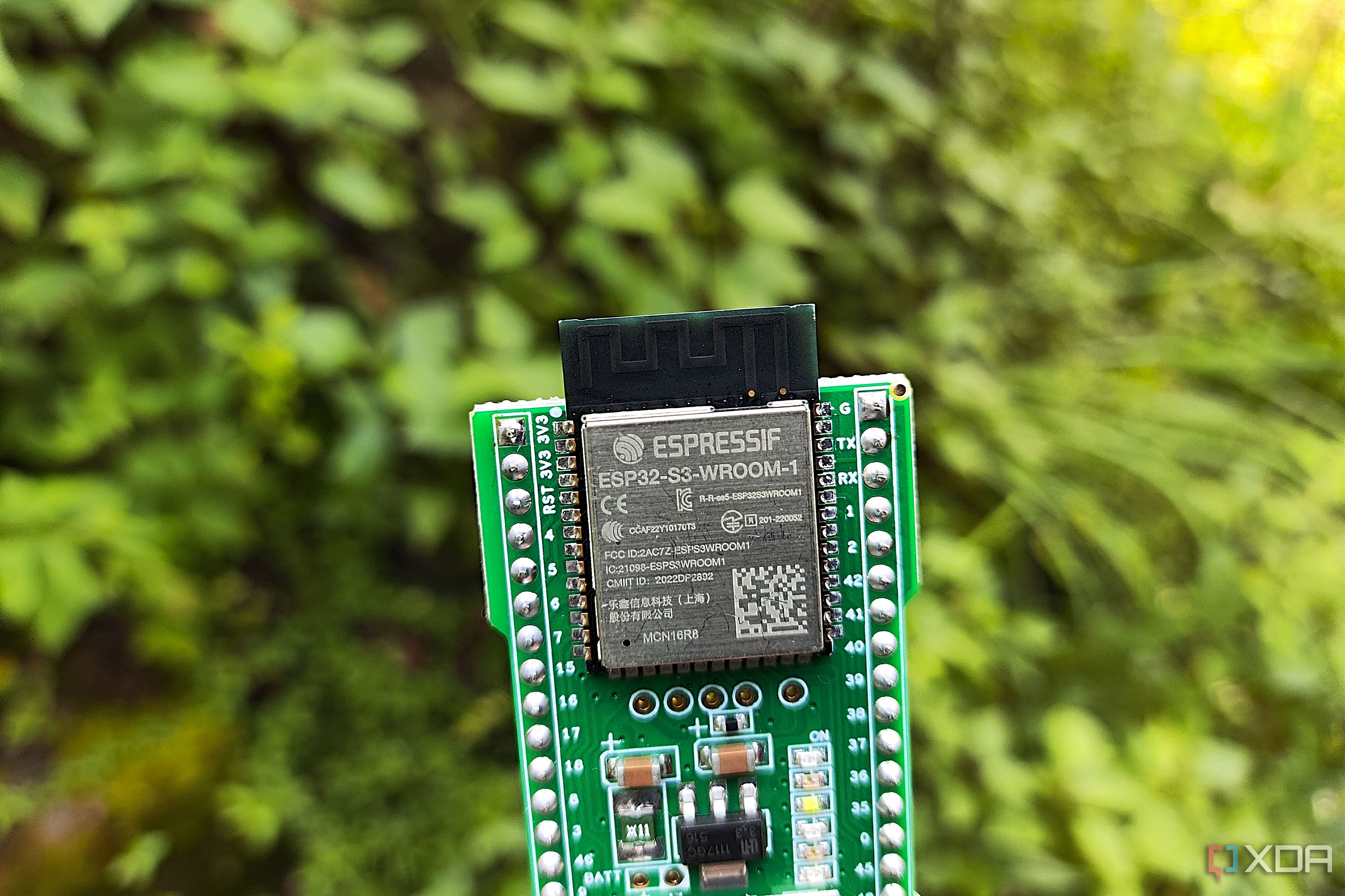
When you're tinkering with ESP32 microcontrollers, choosing the right setup can make the difference between a smooth-sailing project and a barely-functional experiment. And I'm not just talking about the circuitry components, sensor modules, or other accessories, either. The very ESP32 board that you're using for your DIY project can influence the scope of your project, and although many microcontrollers from this family have plenty of hardware similarities, their specs can differ quite a bit.
Take the boards laden with PSRAM, for example. Sure, it may not be as impressive as a dedicated microSD card, native USB support, or even an IEEE 802.15.4 radio capable of providing Thread and Zigbee connectivity. But once you step into advanced ESP32 projects, the extra MBs of memory provided by the PSRAM are bound to come in handy.
PSRAM is often overlooked in beginner-friendly ESP32 projects
After all, you don't really need it for simple DIY circuits or sensor setups
If you've never heard of PSRAM (Pseudo-Static Random Access Memory), it's an external RAM chip that's available on select ESP32 boards to expand their working memory beyond what's available in the SRAM. To put that into perspective, good ol' ESP32-S3 modules tend to ship with 512KB of SRAM. But when it comes to PSRAM, this number goes as high as 8MB (and in select boards) 16MB. The caveat, of course, is that even with a hardware cache speeding up the read speeds for frequently accessed data for PSRAM, it's still quite slower than SRAM.
Combine its performance penalty with the fact that it's only available on select boards, and you can see why many beginner projects don't even need the PSRAM. Take the ESP32-powered weather station I use to pull temperature and humidity statistics into my Home Assistant hub, for example. Since its only purpose is to grab the readings generated by my BME280 sensor, I don't really need to bring a bulky ESP32-S3 module or its PSRAM into the equation.
Instead, a base ESP32 microcontroller is more than enough to send these stats to my Home Assistant hub. The same holds true for simple sensor kits and circuit components, as there's no point in adding a slower PSRAM when the SRAM is more than enough.
That said, PSRAM comes in a clutch once you start experimenting with advanced setups
Camera streams, high-resolution displays, and even makeshift ad-blockers can make good use of the PSRAM
The real utility of PSRAM becomes clear once you move onto complex projects where even a single MB of memory can make a difference. Let's say you're planning to build a GUI-laden dashboard with an ESP32 and an RGB display. Even with the lightweight LVGL, your DIY dashboard is bound to hog a lot of memory, to the point where the graphical elements might not even fit in the SRAM. Tossing an ESP32-S3 into the mix can definitely make this project a lot more viable, as you can house the double screen-sized frame buffers in the PSRAM and get rid of the screen tears or slow GUI transitions.
Likewise, if you're planning to put together a makeshift security system from an ESP32-CAM module, the 4MB of PSRAM can accommodate dual frame buffers and make the video streams much smoother than what you'd otherwise get with an SRAM-only setup. Projects involving decoding MP3 streams or mixing DSP pipelines benefit just as much from this extra memory module.
For folks looking to accommodate edge LLMs like the Cactus Compute Needle 3 into this microcontroller, you can't rely on the 512/520KB SRAM. Meanwhile, a PSRAM-laden board such as the ESP32-S3 can easily house enough layers of the Needle 3 to make it worth using for simple tool calls. DIY ad-blockers built on an ESP32 board need some PSRAM as well, with the ESP32-S3's 8MB PSRAM providing enough space to house the necessary blocklists. Really, the deeper you go down the tinkering rabbit-hole, the more uses you'll find for this extra memory.
It's also pretty easy to enable on most ESP32 flashing tools
Just make sure you select the right board before you assign the PSRAM resources to your project
If you're worried about the complexity of configuring PSRAM, I can assure you that configuring it is a piece of cake on most firmware flashing utilities. I stick with ESPHome for most sensor projects, and enabling this extra memory is as simple as adding the psram: variable and entering the correct mode, speed, and other settings. For example, here's a code snippet I used to add PSRAM to my DIY ESP32-CAM security system:
psram:
mode: quad
speed: 80MHZ
Meanwhile, Arduino's IDE lets you toggle the PSRAM from the Tools tab, while ESP-IDF hides this feature within the Component config menu.
PSRAM isn't the only hidden feature on ESP32 boards
Aside from PSRAM, you can find a couple of other overlooked specs on your pint-sized companion. The ULP co-processor, for example, can run simple monitoring code while the main processor remains asleep, making it handy for lightweight battery-powered projects. Likewise, the second USB port on typical ESP32-S3 boards supports native USB functionality, and with a little bit of tinkering, it can double as a fantastic macro pad for your productivity apps.