I stopped copying ISOs to my Ventoy drive because this free tool lets me boot operating systems over the network
I frequently install operating systems, which means downloading the latest ISO files. Whether it's Windows, a Linux distribution, or a tool, you first need to download it and then write it to a USB drive. Rufus is a great tool to do so, but recreatin...
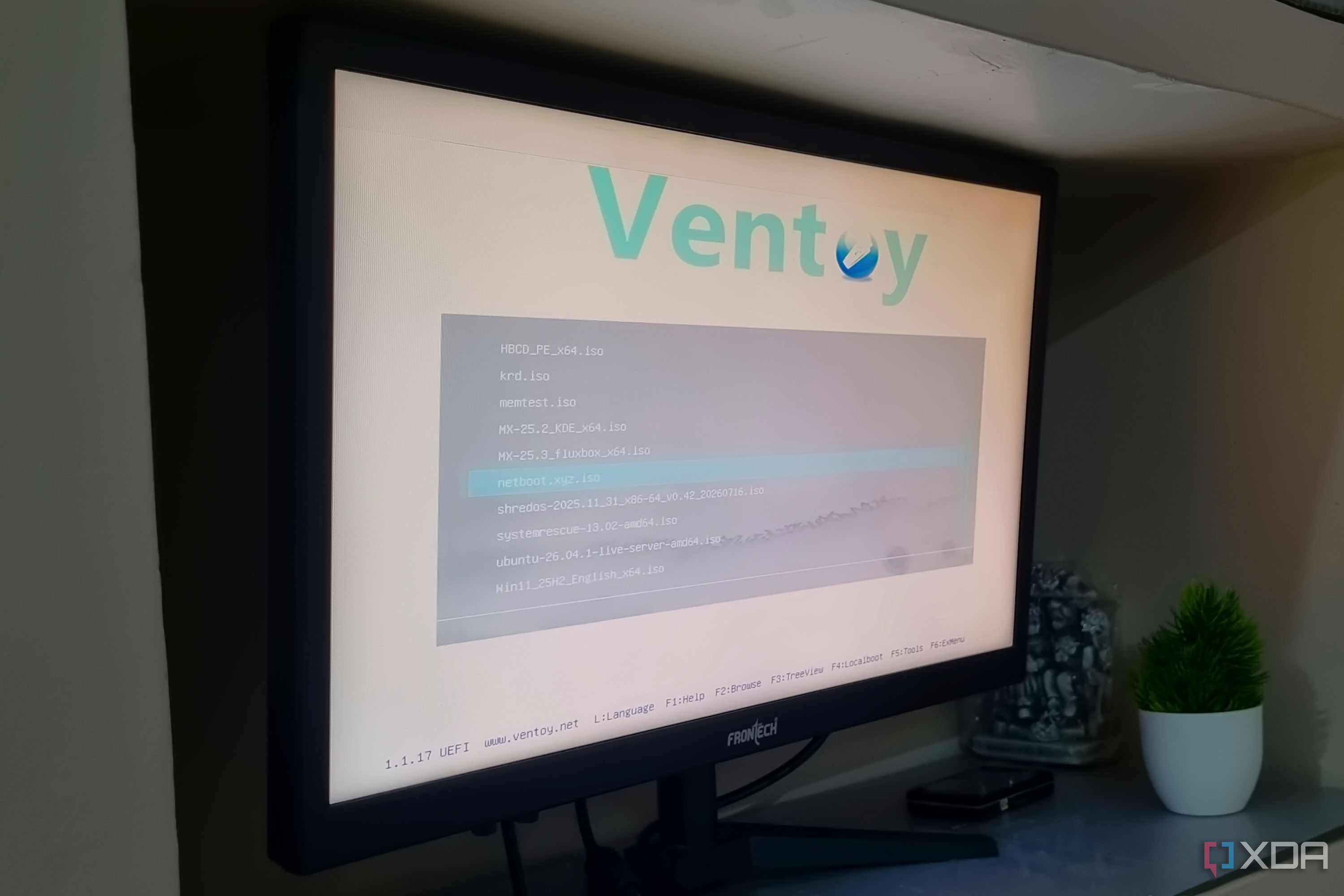
I frequently install operating systems, which means downloading the latest ISO files. Whether it's Windows, a Linux distribution, or a tool, you first need to download it and then write it to a USB drive. Rufus is a great tool to do so, but recreating a bootable USB drive is tedious. Ventoy lets you keep multiple ISO files for any OS or tool on a single bootable USB drive. I have one such drive with ten useful tools and ISO files of my commonly used operating systems.
But even USB drives or an SSD have a fixed storage space. You cannot just copy everything onto it and only have to keep the most necessary ones. I recently tried a tool that doesn't force you to download an ISO file beforehand to install the OS. It handles everything and makes me question the future of my Ventoy USB.
Ventoy is a great tool
But you can't put everything on one drive
My Ventoy drive has 28GB of available storage space, and Ubuntu, Windows 11, Windows 10, and two MX Linux distributions occupy most of it. I could use a bigger drive, but that won't get me the distro variety I need when I want to install on someone else's system. Ventoy can even run from an SSD, but in this expensive storage era, you have to be mindful.
I would prefer using the SSD for something more useful. It can serve as an OS installation drive rather than storing a bunch of ISO files. ISO files can also become outdated, and you have to download newer versions when they are released. So, what's the alternative? Network boot.
The concept has been around for a while, and I use netboot.xyz. It uses iPXE to connect to its own server, from which it can fetch installers, live environments, and a few more resources for multiple operating systems. So your Ventoy drives stay lean, and you only need one tool to install multiple OS and their variants.
Netboot.xyz has a diverse range of options
Moderate setup complexity
Whenever you think of a network-based tool with no graphical interface, you question how easy it is to use. I was also skeptical of using it because when you load such tools, they need to identify your installed hardware. You can create a dedicated USB drive for netboot.xyz, but I prefer keeping it on the Ventoy drive instead. I can simply plug in the Ventoy drive, load its GUI interface, and then navigate to the CLI version of this tool.
Once you load the netboot.xyz's interface, you need to configure the network connection. I thought it would pick up Ethernet effortlessly, but I didn't have success with it. So, I had to manually set up the connection with all the details, like IP address, subnet mask, DNS, and gateway, to make the connection usable. Only then did the tool's interface load the necessary options, including the ability to boot from a local drive.
It divides the page into four categories. The first is booting from the local HDD, which takes you directly to the currently installed OS. Next is the distribution category, which lists Linux distributions, Live CDs, BSD, Unix network installs, FreeDOS, and Windows. I mostly deal with Linux distributions and use that option because it lists a range of options. There are two dozen Linux distributions to choose from, including the popular ones like Debian, Fedora, Kali Linux, and a lot more.
But that's not all! Netboot.xyz understands that ISOs are not enough, and you need to have a few tools as well. GParted, MemTest86+, Clonezilla, and ShredOS are tools that must be on any rescue USB. In fact, I have most of the tools listed on its list on my Ventoy drive, and their ISO files take up a lot of storage space. As a result, I've deleted all the common ones from my Ventoy drive and only keep Hiren's BootCD PE on the Ventoy drive.
Seamless OS installations
Network speed plays a crucial role
I installed many distros using netboot.xyz, and it takes a bit longer to complete than your standard installation. Since it has to fetch the files and additional resources from multiple repositories and then copy them to your machine, your internet speed plays an important role. You might not notice it while installing something as small as Tiny Core Linux. I installed Debian, and it took around 45 minutes to complete on a virtual machine.
I also tested the same installation on an old laptop with an HDD and Ethernet connections, and the results were similar. The tool can work with 1GB or more of memory. However, its official page also mentions that the requirement can exceed 4GB for some rescue environments with a GUI. I mostly stick to the Linux distribution options. You have to add a download URL to install Windows, which is a bit inconvenient.
Instead, I prefer keeping Windows 11 and 10 and the MX Linux ISO on the Ventoy drive, and use netboot.xyz mostly for mainstream distros like Debian, Ubuntu, and Fedora. This approach saves quite a bit of storage space that was previously occupied by tools and Linux ISOs. My main reason for keeping one Linux ISO is to mitigate network problems. In case of a network outage or misconfiguration, I can still use some troubleshooting tools included with most Linux distros.
Reduce the load on your Ventoy drive
I finally have a tool that can help me keep the Ventoy drive free for other things like live persistence. Netboot.xyz covers a diverse range of tools and ISOs and is very easy to use once you set up a proper network connection. Memory isn't an issue when installing most of the distros or tools listed. You can even host your personal iPXE server with netboot.xyz locally and keep a copy of a few distros on it. I prefer downloading ISOs from its sources because they are the latest versions.