I started using Power-over-Ethernet in my smart home, and reduced cable clutter wasn’t the only benefit
When I bought my first premium network switch, ultra-high speeds between my home lab nodes were the only thing I cared about. But once the initial 10GbE enthusiasm died down, I began looking into other cool features on my networking companion. VLANs,...
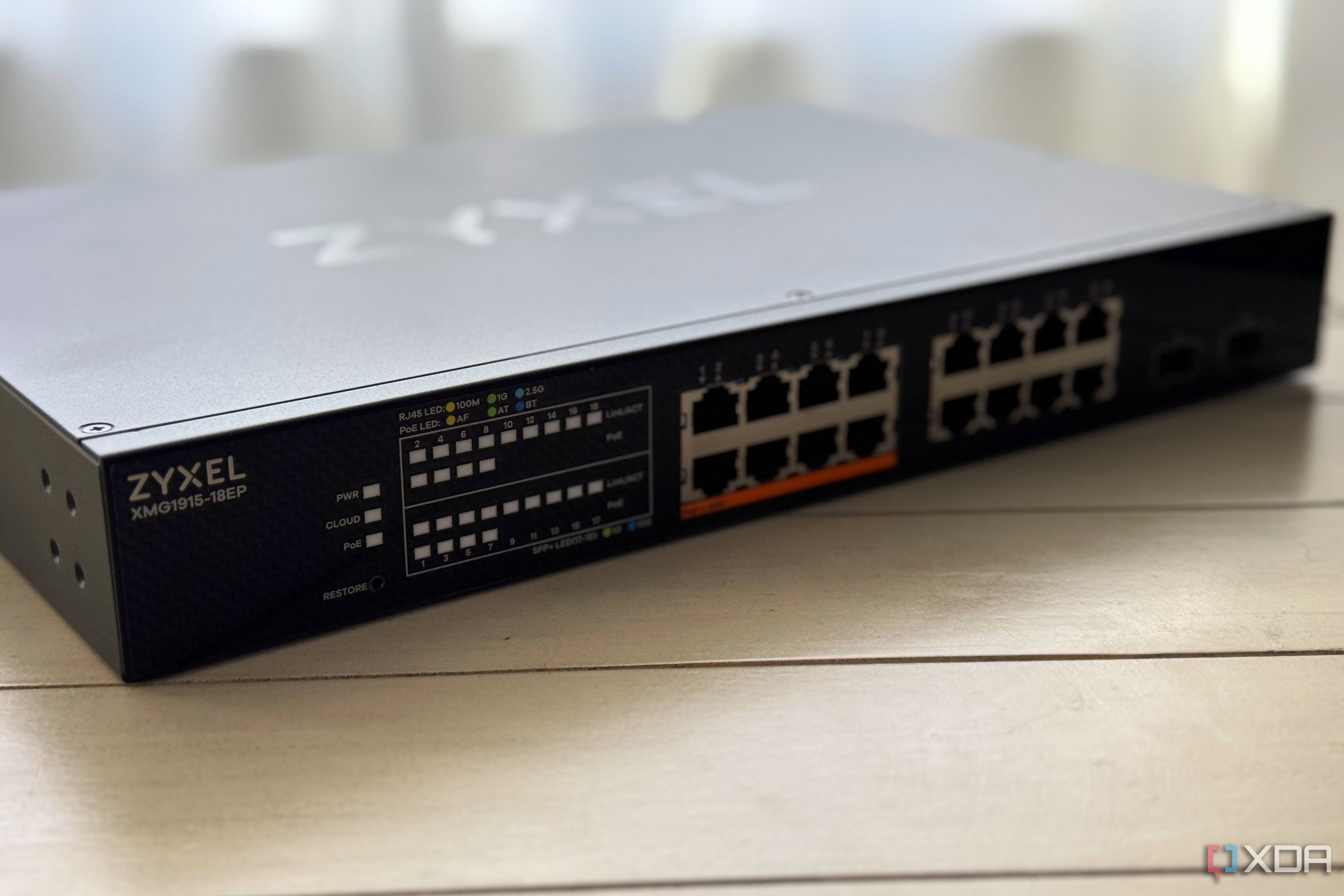
When I bought my first premium network switch, ultra-high speeds between my home lab nodes were the only thing I cared about. But once the initial 10GbE enthusiasm died down, I began looking into other cool features on my networking companion. VLANs, for example, were a killer addition to my smart home-riddled living space, as they helped me protect the rest of my virtualization servers and everyday systems by isolating my insecure IoT gizmos in their own subnet.
Then there's the Power-over-Ethernet support that my fledgling self completely ignored for the longest time. But once I moved to an independent house, I quickly realized how much of a godsend PoE-compatible switches and devices can be.
My PoE setup cuts down the number of cables I need to run around the house
I don't have to worry about routing a power cable to my gizmos
Ever since I became a member of the home lab and self-hosting factions, I've begun arming my living space with all sorts of cool gadgets. Take my surveillance camera setup, for example. Since local-only variants tend to retail for dirt-cheap rates, I picked up my fair share of "dumb" cameras and hooked them to my Frigate and Home Assistant servers to get the same object detection features as expensive cloud-based models without the privacy implications of the latter.
Likewise, I've decked out my networking setup quite a lot these last couple of months with dummy switches and mesh nodes to ensure the other denizens of my household get proper coverage in every room. Speaking of smart devices, I've also got my fair share of smart chimes, LED controllers, and presence-detection units, many of which support hardwired Ethernet connections.
The problem? Since most of these devices require their own power supply and Ethernet cables, I'd have to put up with a lot of wire clutter. Worse still, this includes bulky DC bricks that I can't just toss into the narrow PETG cable channels I've created with my 3D printer.
Now, I wouldn't go so far as to say that switching to a PoE-heavy setup completely got rid of all wires, as I still need the Ethernet cables to supply both data and power to my devices. However, this neat technology definitely cuts down on the amount of wires running all over the place, because I no longer need an extra set of power cables for each device.
It gives me more flexibility in my WAP and sensor placements
I don't need to keep them awkwardly near power outlets anymore
Personally, the biggest advantage of Power-over-Ethernet for my smart home is the fact that I don't need to hunt for power outlets every time I need to plug a couple of devices. Although I had my home lab outfitted with plenty of power sockets around every corner, my living room, attic, and other rooms aren't as riddled with outlets.
Heck, my porch has a single power socket close to the door, which caused a lot of hassle when I wanted to mount a DIY ring doorbell and sensors, especially since I'd already dedicated said socket to my security camera.
Without PoE, my only option was to rely on power extension cords, which would make my living space resemble a rat's nest. Not to mention, I'd have to place them at weird angles or risk straining the power cables too much. But now that I've got a PoE-heavy setup, I can just use longer Cat6 cables instead of worrying about the short power cables that ship with my devices.
PoE is also pretty easy to use
That said, it does require some precautions
Unlike VLANs and other networking features that I had a bit of a hard time enabling as a beginner, PoE didn't take any effort to configure. When I connect the PoE-supported ports on my switch to a random gizmo, it sends a low-voltage signal to detect whether the client devices can handle power transmission.
Once it recognizes that the gadget in question supports PoE functionality, it begins supplying power in accordance with the device's power class. So, pretty much everything is handled by my switch and I don't need to spend extra time digging through waves of menus within a web UI just to use my devices via PoE.
Of course, PoE still has some ground rules (pun intended) that I need to follow. For example, I typically use copper Cat6 cables instead of cheaper Copper Clad Aluminum wires, as the high electrical resistance on the latter poses a safety hazard for PoE setups.
Likewise, not all devices in my arsenal are PoE-compliant, and I always double-check the voltages on the ones that do support this functionality. My PoE++ switch also grows really hot if I leave it in summer, so I often leave it at the top of my network rack, where it can receive proper airflow.
But PoE is definitely a worthwhile feature for most networking setups
Although I exercise a fair amount of caution when plugging in new devices into the PoE++ ports on my switch, it's still a neat facility for my home. In fact, if my current switch were to break down, or I ended up upgrading to an even faster networking stack, I'd put PoE at the top of my priority list — right alongside VLAN support — when I go looking for a new switch.